Sales Transactions
Sales Transactions
Sales History
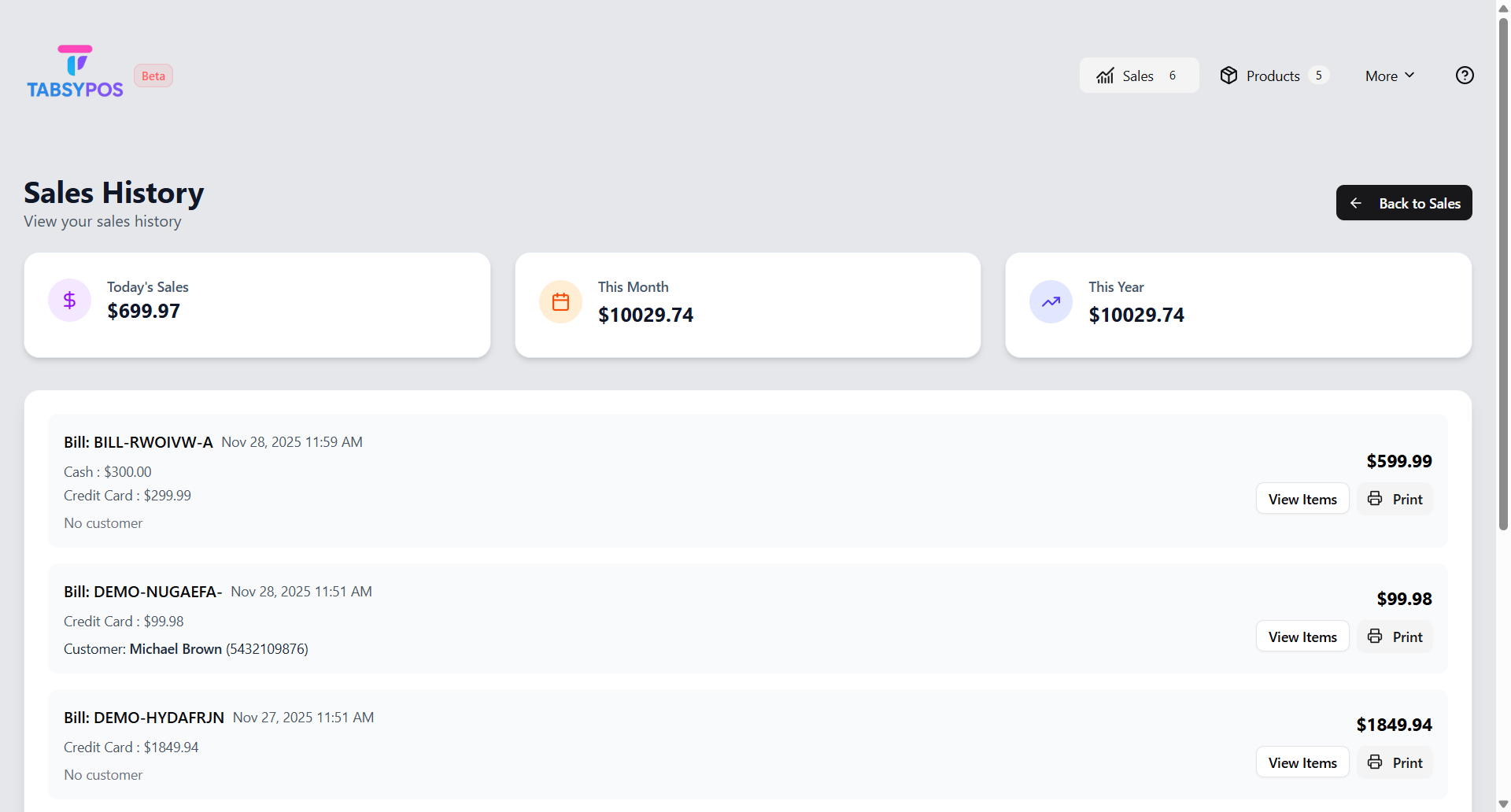
The Sales History section provides a complete record of all past transactions, helping you track sales performance and access important details whenever needed.
To view your transaction history, go to the Sales History tab. Each record displays essential information such as the date of sale, customer name, products purchased, and payment details.
At the top of the page, you’ll see three summary cards - Today’s Sales, This Month, and This Year - which display the sales amounts (monetary totals) for each period. Specifically:
- Net sales = Gross sales minus Returns
- When returns exist, shows breakdown: Gross amount and Returns amount
- Amounts are formatted with the configured currency symbol
These cards give you a quick snapshot of your store’s performance at a glance, without affecting or filtering the detailed transaction list below.
You can open any transaction to review individual cart items or reprint receipts whenever required. Even without an internet connection, all sales data remains safely stored on your device, ensuring uninterrupted access and reliability.